App Store screenshot sizes for every iPhone, iPad and Apple device

By Alistair CooperPublished October 27, 2026
Facts checked against the stores’ own documentation on October 26, 2026.
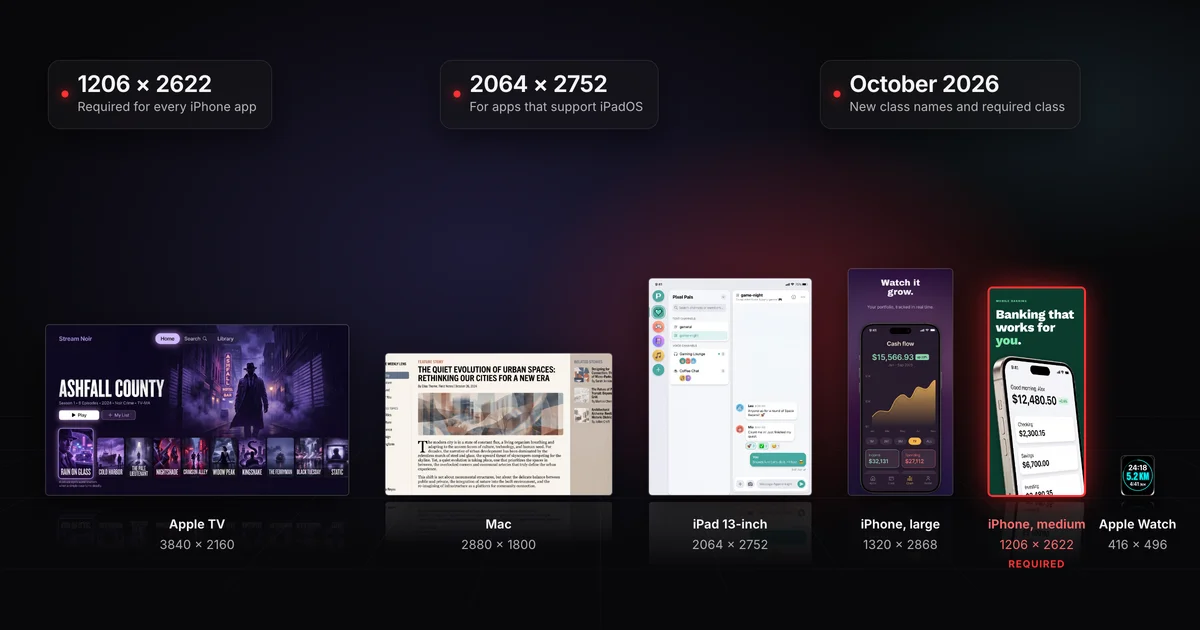
Every iPhone app needs at least one screenshot in Apple's iPhone with Dynamic Island (medium display) class.
- iPhone: 1206 x 2622 or 1179 x 2556 pixels in portrait.
- iPad, if your app supports iPadOS: a 13-inch set at 2064 x 2752 or 2048 x 2732.
- Apple's required list names no other iPhone or iPad class.
- App Store Connect can scale your screenshots down for smaller devices.
On this page
The class names and the required iPhone class both changed in October 2026, so a size table written before then can send you to the wrong set.
- Every iPhone app: iPhone with Dynamic Island (medium display), 1206 x 2622 or 1179 x 2556 pixels in portrait. At least one screenshot, up to 10.
- Apps that support iPadOS: iPad 13-inch display, 2064 x 2752 or 2048 x 2732 pixels in portrait.
- Mac, Apple TV, Apple Vision Pro and Apple Watch apps: one of that platform's own sizes, listed below.
- Everything else is optional, apart from a conditional line on iPhone with Face ID (large display), explained under display scaling. App Store Connect can scale your screenshots down for smaller devices.
- iPhone Duo: optional today. Apple says Duo screenshots become required in April 2027, but its two statements of who that covers differ (see the October 2026 changes).
- Files: .jpeg, .jpg or .png, with no alpha channel or transparency.
For the count, content and review rules, use the App Store screenshot requirements checklist.
| Apple’s class and devices | Portrait | Landscape | Status |
|---|---|---|---|
iPhone with Dynamic Island (medium display) iPhone 18 Pro, iPhone 17 Pro, iPhone 17, iPhone 16 Pro, iPhone 16, iPhone 15 Pro, iPhone 15, iPhone 14 Pro |
|
| Required Apple’s required iPhone size: “At least one screenshot for iPhone with Dynamic Island (medium display).” |
iPhone with Dynamic Island (large display) iPhone Air, iPhone 18 Pro Max, iPhone 17 Pro Max, iPhone 16 Pro Max, iPhone 16 Plus, iPhone 15 Pro Max, iPhone 15 Plus, iPhone 14 Pro Max |
|
| Optional If screenshots with the accepted sizes aren’t provided, scaled screenshots for iPhone with Face ID (large display) are used. |
iPhone Duo (outer display) iPhone Duo |
|
| Optional Starting in April 2027, screenshots will be required for any app using the iOS 27.1 SDK or later. Submitting them shows a badge on your product page that the app is optimized for iPhone Duo. |
iPhone Duo (inner display) iPhone Duo |
|
| Optional Starting in April 2027, screenshots will be required for any app using the iOS 27.1 SDK or later. Submitting them shows a badge on your product page that the app is optimized for iPhone Duo. |
iPhone with Face ID (large display) iPhone 14 Plus, iPhone 13 Pro Max, iPhone 12 Pro Max, iPhone 11 Pro Max, iPhone 11, iPhone XS Max, iPhone XR |
|
| Sometimes required Required if app runs on iPhone and screenshots for iPhone with Dynamic Island (large display) aren’t provided. |
iPhone with Face ID (medium display) iPhone 17e, iPhone 16e, iPhone 14, iPhone 13 Pro, iPhone 13, iPhone 13 mini, iPhone 12 Pro, iPhone 12, iPhone 12 mini, iPhone 11 Pro, iPhone XS, iPhone X |
|
| Optional If screenshots with the accepted sizes aren’t provided, scaled screenshots for iPhone with Dynamic Island (medium display) are used. |
iPhone with Home Button (large display) iPhone 8 Plus, iPhone 7 Plus, iPhone 6S Plus, iPhone 6 Plus |
|
| Optional If screenshots with the accepted sizes aren’t provided, scaled screenshots for iPhone with Face ID (medium display) are used. |
iPhone with Home Button (medium display) iPhone SE (3rd generation, 2nd generation), iPhone 8, iPhone 7, iPhone 6S, iPhone 6 |
|
| Optional If screenshots with the accepted sizes aren’t provided, scaled screenshots for iPhone with Home Button (large display) are used. |
iPhone with Home Button (4" display) iPhone SE (1st generation), iPhone 5S, iPhone 5C, iPhone 5 |
|
| Optional If screenshots with the accepted sizes aren’t provided, scaled screenshots for iPhone with Home Button (medium display) are used. |
iPhone with Home Button (3.5" display) iPhone 4S, iPhone 4 |
|
| Optional If screenshots with the accepted sizes aren’t provided, scaled screenshots for iPhone with Home Button (4" display) are used. |
Apple now names most iPhone classes by display type instead of screen diagonal: Dynamic Island, Face ID (phones with Face ID but no Dynamic Island) and Home Button, each split into large and medium. Two smaller Home Button classes keep their 4" and 3.5" labels.
Every iPhone screenshot class, drawn to scale
If screenshots with the accepted sizes aren’t provided, scaled screenshots for iPhone with Face ID (large display) are used.
Required if app runs on iPhone and screenshots for iPhone with Dynamic Island (large display) aren’t provided.
Every iPhone app needs at least one screenshot here. Apple’s required list names no other iPhone class.
If screenshots with the accepted sizes aren’t provided, scaled screenshots for iPhone with Dynamic Island (medium display) are used.
If screenshots with the accepted sizes aren’t provided, scaled screenshots for iPhone with Face ID (medium display) are used.
If screenshots with the accepted sizes aren’t provided, scaled screenshots for iPhone with Home Button (large display) are used.
If screenshots with the accepted sizes aren’t provided, scaled screenshots for iPhone with Home Button (medium display) are used.
If screenshots with the accepted sizes aren’t provided, scaled screenshots for iPhone with Home Button (4" display) are used.
- Dynamic Island (large display)Optional1320 × 2868 or 1290 × 2796 or 1260 × 2736
- Face ID (large display)Sometimes required1284 × 2778 or 1242 × 2688
- Dynamic Island (medium display)Required1206 × 2622 or 1179 × 2556
- Face ID (medium display)Optional1170 × 2532 or 1125 × 2436 or 1080 × 2340
- Home Button (large display)Optional1242 × 2208
- Home Button (medium display)Optional750 × 1334
- Home Button (4" display)Optional640 × 1136 or 640 × 1096
- Home Button (3.5" display)Optional640 × 960 or 640 × 920
The required class accepts two sizes, and its phones come in both. In Xcode 27.2, the simulated iPhone 14 Pro, 15, 15 Pro and 16 capture at 1179 x 2556, and the 16 Pro, 17, 17 Pro and 18 Pro at 1206 x 2622. Apple says Device Hub (the Simulator app in earlier Xcode releases) saves screenshots at the device's full resolution, so a capture from any of these needs no resizing.
The iPhone Duo rows cover its outer and inner displays. The badge, the deadline and what to show on each display are in the iPhone Duo screenshot guide.
From Apple's own model lists:
- Dynamic Island (medium display), required: iPhone 18 Pro, 17 Pro, 17, 16 Pro, 16, 15 Pro, 15 and 14 Pro.
- Dynamic Island (large display): iPhone Air, 18 Pro Max, 17 Pro Max, 16 Pro Max, 16 Plus, 15 Pro Max, 15 Plus and 14 Pro Max.
- Face ID (large display): iPhone 14 Plus, 13 Pro Max, 12 Pro Max, 11 Pro Max, 11, XS Max and XR.
- Face ID (medium display): iPhone 17e, 16e, 14, 13 Pro, 13, 13 mini, 12 Pro, 12, 12 mini, 11 Pro, XS and X.
- Home Button: large is the 8 Plus, 7 Plus, 6S Plus and 6 Plus. Medium is the SE (3rd and 2nd gen), 8, 7, 6S and 6. The 4-inch class is the SE (1st gen), 5S, 5C and 5, and the 3.5-inch class is the 4S and 4.
Pairs that trip people up: the iPhone 17 is in the required class but the 17e is Face ID (medium display); the 17 Pro is medium and the 17 Pro Max is large; the 16 Plus is Dynamic Island (large display) but the 14 Plus is Face ID (large display); and the iPhone 11 and XR are Face ID (large display).
Which class is my iPhone? The pairs that trip people up
Dynamic Island (medium display)
Required
- iPhone 17
- iPhone 17 Pro
Dynamic Island (large display)
Optional
- iPhone 17 Pro Max
- iPhone 16 Plus
Face ID (large display)
Sometimes required
- iPhone 14 Plus
- iPhone 11
- iPhone XR
Face ID (medium display)
Optional
- iPhone 17e
Tutorials and old export folders still use inch labels. Each one maps to a single new class with the same model list.
| Old label (September 2026 page) | Apple's class name now | Status now |
|---|---|---|
| 6.9" | iPhone with Dynamic Island (large display) | Optional |
| 6.5" | iPhone with Face ID (large display) | Sometimes required |
| 6.3" | iPhone with Dynamic Island (medium display) | Required |
| 6.1" | iPhone with Face ID (medium display) | Optional |
| 5.5" | iPhone with Home Button (large display) | Optional |
| 4.7" | iPhone with Home Button (medium display) | Optional |
| 4" | iPhone with Home Button (4" display) | Optional |
| 3.5" | iPhone with Home Button (3.5" display) | Optional |
| Apple’s class and devices | Portrait | Landscape | Status |
|---|---|---|---|
iPad 13" display iPad Pro (M5, M4), iPad Pro (6th generation, 5th generation, 4th generation, 3rd generation, 1st generation), iPad Air (M4, M3, M2) |
|
| Sometimes required Required if app runs on iPad. |
iPad 12.9" display iPad Pro (2nd generation) |
|
| Optional If screenshots with the accepted sizes aren’t provided, scaled screenshots for 13" displays are used. |
iPad 11" display iPad Pro (M5, M4), iPad Pro (4th generation, 3rd generation, 2nd generation, 1st generation), iPad Air (M4, M3, M2), iPad Air (5th generation, 4th generation), iPad (A16), iPad (10th generation), iPad mini (A17 Pro), iPad mini (6th generation) |
|
| Optional If screenshots with the accepted sizes aren’t provided, scaled screenshots for 13" displays are used. |
iPad 10.5" display iPad Pro, iPad Air (3rd generation), iPad (9th generation, 8th generation, 7th generation) |
|
| Optional If screenshots with the accepted sizes aren’t provided, scaled screenshots for 12.9" displays are used. |
iPad 9.7" display iPad Pro, iPad Air, iPad Air 2, iPad, iPad 2, iPad (6th generation, 5th generation, 4th generation, 3rd generation), iPad mini (5th generation), iPad mini 4, iPad mini 3, iPad mini 2 |
|
| Optional If screenshots with the accepted sizes aren’t provided, scaled screenshots for 10.5" displays are used. |
The iPad classes kept their inch names. The one to make is the 13-inch display: Apple's required list says "if your app supports iPadOS" (the 13-inch row itself words it "Required if app runs on iPad"), and every smaller iPad class falls back to scaled 13-inch screenshots, directly or through the classes in between.
Both 13-inch sizes come straight off a simulated iPad:
- iPad Pro 13-inch (M4 and M5): 2064 x 2752
- iPad Air 13-inch (M2, M3 and M4) and 12.9-inch iPad Pro (6th gen): 2048 x 2732, which is also the 12.9-inch class's only size, so that capture fits both classes. Whether an iPhone-first app needs this set at all is covered in the iPad screenshot sizes guide.
| Apple’s class and devices | Portrait | Landscape | Status |
|---|---|---|---|
Mac Mac | Not accepted |
| Required Required for Mac apps. One of the accepted sizes, with a 16:10 aspect ratio. |
Apple TV Apple TV | Not accepted |
| Required Required for Apple TV apps. |
Apple Vision Pro Apple Vision Pro | Not accepted |
| Required Required for Apple Vision Pro apps. |
Apple Watch Ultra 4, Ultra 3, Ultra 2, Ultra, Series 12, 11, 10, Series 9, 8, 7, Series 6, 5, 4, SE 3, SE 2, SE, Series 3, 2, 1 |
| Not accepted | Required Required for Apple Watch apps. Use one of the sizes, and use the same size consistently across all localizations. |
Each has its own requirement line and no scaling chain.
- Mac: one of four sizes, all 16:10, from 1280 x 800 up to 2880 x 1800.
- Apple TV: 1920 x 1080 or 3840 x 2160.
- Apple Vision Pro: 3840 x 2160 only.
- Apple Watch: one of six sizes. Ultra 4 and Ultra 3 are 422 x 514, and Series 12, 11 and 10 share 416 x 496. Apple says to use "the same screenshot size for Apple Watch consistently across all localizations", so pick one size and keep it when you localize your screenshots.
If your interface looks the same across device sizes and localizations, Apple says "you only need to provide screenshots for the highest required resolution", and App Store Connect scales them down for smaller devices.
Every iPhone and iPad class except iPhone Duo and the 13-inch iPad carries a note naming the class whose screenshots are scaled for it when you don't upload its own. Read as chains:
- iPhone, down from the required class: Face ID (medium display) uses scaled Dynamic Island (medium display) screenshots, then each Home Button class uses the one above it: large, medium, 4-inch, 3.5-inch.
- iPad, down from 13-inch: 12.9-inch and 11-inch use scaled 13-inch screenshots, 10.5-inch uses 12.9-inch, and 9.7-inch uses 10.5-inch.
- The large iPhones: Dynamic Island (large display) uses scaled Face ID (large display), and Face ID (large display) uses scaled Dynamic Island (large display). The note on the required medium class also points to Face ID (large display).
Which screenshots each class borrows when you upload none
iPhone
iPad
The large iPhones
Each scales from the other, and the required medium class’s note also points to Face ID (large display). Neither starts a chain, so Apple’s page never says what a large iPhone shows from a medium set alone.
Face ID (large display) also keeps a requirement line from before the rename: required if your app runs on iPhone and you don't provide Dynamic Island (large display) screenshots. Apple's page doesn't explain how that line sits next to the new required class.
To make both sets, you can design once at the large size and scale down. The two shapes are close but not identical, so fit to height and trim rather than stretching.
Start from a finished 1320 x 2868 design. Scale it to 2622 pixels tall: the factor is 2622 / 2868, about 0.9142, which makes it about 1206.8 pixels wide. Round to 1207 and trim 1 pixel to reach 1206 x 2622. Scaling to 1206 wide instead leaves it about 2620 tall, 2 pixels short.
Screenodon exports the iPhone set at 1206 x 2622, and adds 1320 x 2868 when you ask for it.
Every iPhone and iPad class lists sizes in both orientations:
- Most classes: landscape is the portrait size turned sideways. The required iPhone class takes 2622 x 1206 or 2556 x 1179 in landscape, and the 13-inch iPad takes 2752 x 2064 or 2732 x 2048.
- The exception: the no-status-bar sizes of the 4-inch, 3.5-inch and 9.7-inch classes don't swap. The 4-inch takes 640 x 1096 in portrait but 1136 x 600 in landscape.
- Mac, Apple TV and Vision Pro: every size is wider than it is tall.
- Apple Watch: every size is taller than it is wide.
You can mix orientations within one set: each of your up to 10 screenshots can be portrait or landscape, as long as its size is one Apple lists for the class. Which orientation suits each screen is a design call, covered in the guide to common screenshot design mistakes. Either way, every file has to match an accepted size exactly. A file a few pixels off is refused at upload with the error "The dimensions of one or more screenshots are wrong".
The checker reports which Apple class a file's exact pixel size matches, in which orientation, whether it has an alpha channel, and whether Google Play would take the size. The file never leaves your browser.
On a Mac, sips prints the size and the alpha flag from Terminal. If hasAlpha says yes, re-export without transparency, or convert to JPEG, which has no alpha channel (then look over any see-through areas, since they have to become a solid color):
sips -g pixelWidth -g pixelHeight -g hasAlpha screenshot.png
sips -s format jpeg screenshot.png --out screenshot.jpg
Screenodon exports at these sizes as PNG with no alpha channel, so its files pass both checks without a fix.
No pixel size changed. The names, the required class and two fallback notes changed, and the iPhone Duo got its deadline. The sequence, from Apple's pages and archived copies of the spec page:
- September 22, 2026 (archived copy): iPhone classes were labeled by inch, from 6.9" down to 3.5". The 6.5-inch class was required if you didn't provide 6.9-inch screenshots, and there was no separate list of required sizes. iPhone Duo sizes were already listed, with upload support promised later in the year.
- October 5, 2026: Apple's iPhone Duo news post said "updated screenshot and app preview specifications are now available" and announced product page headers, search result assets and a preview tool (specs in the product page header and search result asset guide and the app preview specs guide). It also announced the Duo badge and said that starting April 2027, any apps or games submitted will need iPhone Duo screenshots.
- By October 6, 2026 (archived copy): the iPhone classes had their display-type names, a new "Required device sizes" section named the medium display for iPhone and the 13-inch display for iPadOS apps, and a new "Display scaling" section appeared. Two fallback notes changed: Face ID (medium display) now borrows from Dynamic Island (medium display) instead of the old 6.5-inch class, and Dynamic Island (large display) gained a note pointing to Face ID (large display).
- By October 15, 2026 (the last-modified date Apple's server gives for the page): the iPhone Duo sizes gained two notes on the spec page: screenshots required starting in April 2027 for any app using the iOS 27.1 SDK or later, and the product page badge for apps that submit them.
The two Duo deadline statements differ, so plan for the broader one. Recheck Apple's screenshot specifications and the iPhone Duo announcement before each release. For the rest of the process, from planning the set to uploading it, start with the complete App Store screenshots guide.
The 6.9-inch class is now iPhone with Dynamic Island (large display): 1320 x 2868, 1290 x 2796 or 1260 x 2736 in portrait. It's optional, and none of those sizes fits the required medium display class.
The 6.5-inch class is now iPhone with Face ID (large display), at 1284 x 2778 or 1242 x 2688. Apple's required list doesn't name it, but its row still says required if you provide no Dynamic Island (large display) screenshots, so a set in either large class meets it.
A simulated iPhone 17 Pro Max captures at 1320 x 2868 in portrait, an accepted size for the optional large display class. For the required set, capture on a simulated iPhone 17 Pro or 18 Pro, which gives 1206 x 2622.
For Apple's required list, yes: one set at 1206 x 2622 or 1179 x 2556 covers it, and App Store Connect can scale it down for smaller iPhones. But the Face ID (large display) row keeps its conditional line, and Apple doesn't say what larger iPhones show from a medium set. A Dynamic Island (large display) set settles both.
No. Apple's spec page says images can't include alpha channels or transparencies, so export PNGs without transparency or use JPEG, then confirm with sips -g hasAlpha or the checker above.
Alistair Cooper
Founder of Screenodon
I’ve spent over ten years shipping iOS apps, from a blank Xcode project to the App Store, on my own and on large teams. At Fender I was a technical lead on Fender Play and worked on apps used by millions of people.
More about me and how I write these guidesSources
- Apple, App Store Connect Help: Screenshot specifications
- Apple Developer News, Prepare and submit your apps for iPhone Duo (October 5, 2026)
- Apple, Xcode documentation: Capturing screenshots and videos from devices
- Apple, Screenshot specifications as archived on September 22, 2026 (Internet Archive)
- Apple, Screenshot specifications as archived on October 6, 2026 (Internet Archive)
Put this into practice on your own set
Start a free account, drop in your raw screenshots, and Screenodon lays out a first draft of the whole set for you to edit. Saving and export at every store size need Pro.
Keep reading
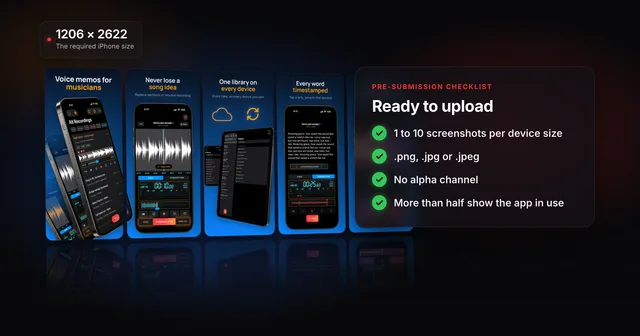 App Store screenshot requirements: the pre-submission checklistApp Store screenshot requirements as a checklist: 1 to 10 per device size, PNG or JPEG without alpha, the exact iPhone and iPad sizes and the 2.3.3 rule.
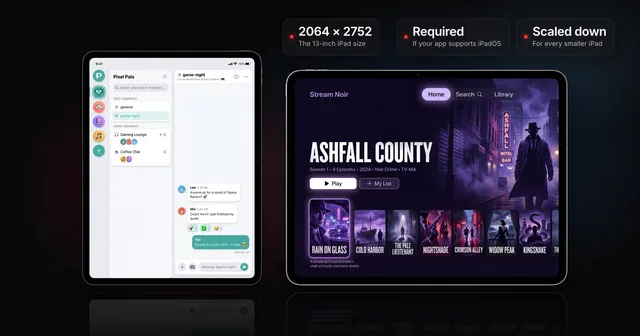 iPad App Store screenshot sizes (and when the 13-inch is required)Apple's iPad screenshot size is 2064 x 2752 or 2048 x 2732 (13-inch), needed if your app supports iPadOS. Every class, and how to clear the 13-inch prompt.
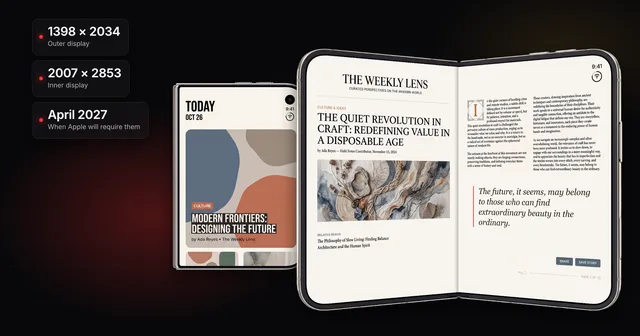 iPhone Duo App Store screenshots: sizes, deadline and badgeiPhone Duo screenshot sizes for the outer (1398 x 2034) and inner (2007 x 2853) displays, the April 2027 deadline, the badge, and how to upload them.
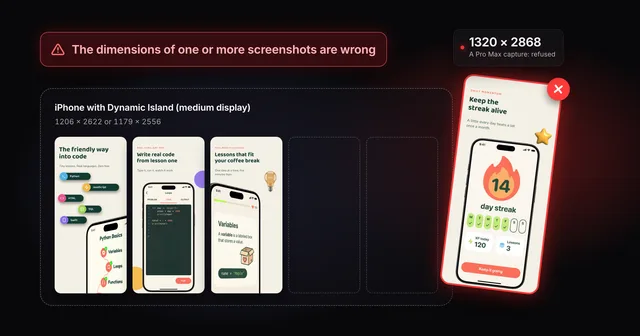 Fix "The dimensions of one or more screenshots are wrong"App Store Connect wants an exact pixel size for each slot. Check your file, then fix the cause: a pixel off, the wrong export scale or the wrong device.
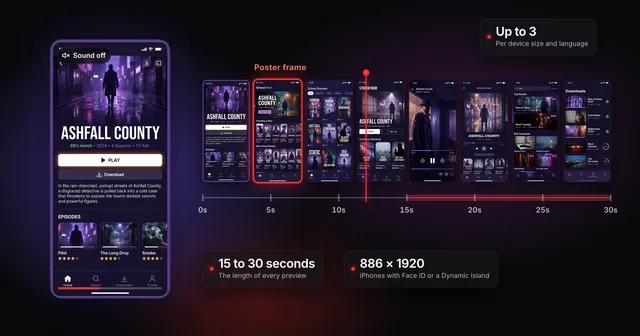 App Store app preview specs (and whether to make one first)Apple's app preview specs: 15 to 30 seconds, up to 500 MB, H.264 or ProRes 422 HQ, max 30 fps, 886 x 1920 for iPhone. Plus when a preview is worth it.