iPhone Duo App Store screenshots: sizes, deadline and badge

By Alistair CooperPublished October 27, 2026
Facts checked against the stores’ own documentation on October 26, 2026.
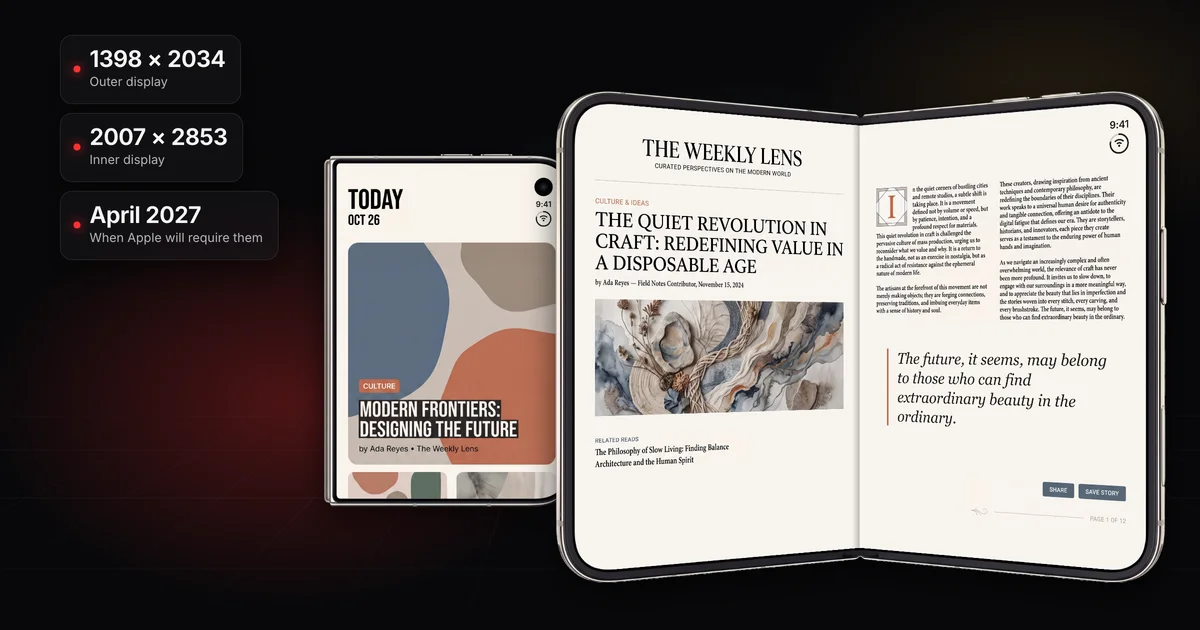
iPhone Duo App Store screenshots come in two sizes, one for each display.
- Outer display: 1398 x 2034 in portrait, 2034 x 1398 in landscape.
- Inner display: 2007 x 2853 in portrait, 2853 x 2007 in landscape.
- They're optional today; from April 2027 Apple will require them for apps using the iOS 27.1 SDK or later (spec page) or any app submitted (news post).
- Submitting them adds a product page badge marking the app as optimized for iPhone Duo.
On this page
- What size are iPhone Duo App Store screenshots?
- Which apps need iPhone Duo screenshots, and when
- What earns the "optimized for iPhone Duo" badge
- How to design Duo screenshots for two displays
- How to upload iPhone Duo screenshots in App Store Connect
- What size is an iPhone Duo app preview?
- Frequently asked questions
| Apple’s class and devices | Portrait | Landscape | Status |
|---|---|---|---|
iPhone Duo (outer display) iPhone Duo |
|
| Optional Starting in April 2027, screenshots will be required for any app using the iOS 27.1 SDK or later. Submitting them shows a badge on your product page that the app is optimized for iPhone Duo. |
iPhone Duo (inner display) iPhone Duo |
|
| Optional Starting in April 2027, screenshots will be required for any app using the iOS 27.1 SDK or later. Submitting them shows a badge on your product page that the app is optimized for iPhone Duo. |
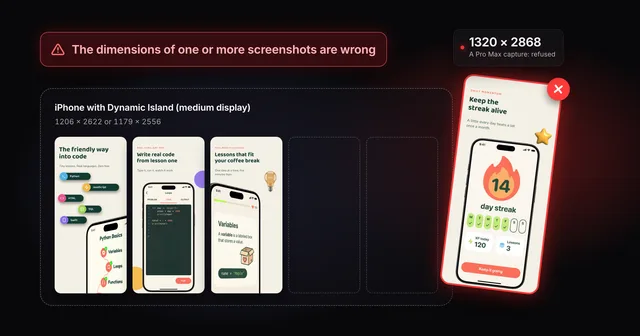
Apple lists all four in one iPhone Duo entry under iPhone, and the page's general rules apply: .jpeg, .jpg or .png, no alpha channel or transparency, and up to 10 screenshots per device size. Use the exact pixel sizes. If App Store Connect refuses a file, see fixing the "dimensions are wrong" error.
Apple's help pages don't say whether outer and inner shots share one set of 10, whether a set needs both displays, or how the store orders them. Its news post points to a new App Store Connect preview tool that shows your screenshots on iPhone Duo, so check the set there before you submit.
Capture on the iPhone Duo simulator in Xcode 27.1, which Apple calls "the best way to test the full native experience". Apple doesn't say a simulator capture comes out at exactly the screenshot size, so check every file:
sips -g pixelWidth -g pixelHeight -g hasAlpha duo-inner-01.png
Expect one of the four sizes above and hasAlpha: no.
Two statements of the April 2027 deadline
“for any app using the iOS 27.1 SDK or later”
“any apps or games submitted will need to include screenshots for iPhone Duo.”
The broader reading: plan for this one.
The spec page ties the rule to the iOS 27.1 SDK, the same SDK Apple's preparation guide says makes an app optimized for iPhone Duo: the app fills the full display, with toolbars and tab bars running vertically below the status bar. The news post's wording covers every submission. Neither page gives a day in April, and Apple's Upcoming Requirements page didn't list the Duo when I checked.
Apple describes the badge in one sentence, repeated on the spec page, the news post and the preparation guide: when you submit iPhone Duo screenshots in App Store Connect, your product page displays a badge letting people know your app is optimized for iPhone Duo. No other condition is named, and no page shows what the badge looks like or where it sits.
The badge makes a claim on your behalf, so send Duo screenshots only once the build handles both displays. Apple's preparation guide shows what falls short: an app built with the iOS 26 SDK or earlier sits in the center of the open display with empty space around it. It also lists code patterns that break, such as sizing from the main screen or choosing a layout by device idiom. The usual review rules apply too: see why App Store screenshots get rejected.
You can also ask Apple's editors to consider featuring your app. App Store Connect has a featuring nomination form, and Apple suggests using its Helpful Details section to say your app is optimized for iPhone Duo and supports all of the device's poses (the ways it can be folded and held).
Both Duo displays are much squarer than other current iPhones. The required iPhone class is roughly 19.5:9, while both Duo displays sit between 2:3 and 3:4. The inner display is only a little taller than the 3:4 iPad 13-inch screenshot.
The Duo’s two displays next to the shapes you already make
Long side about 2.17 times the short side.
Long side about 1.45 times the short side.
Long side about 1.42 times the short side.
Long side about 1.33 times the short side.
- iPhone with Dynamic Island (medium display)Required1206 × 2622 or 1179 × 2556
- iPhone Duo (outer display)Optional today1398 × 2034
- iPhone Duo (inner display)Optional today2007 × 2853
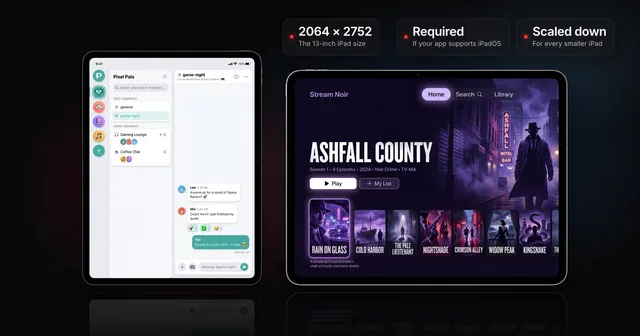
- iPad 13" displayRequired for iPad apps2064 × 2752 or 2048 × 2732
How tall each canvas is for its width (long side divided by short side):
- Required iPhone size: 2622 / 1206, about 2.17
- Duo outer display: 2034 / 1398, about 1.45
- Duo inner display: 2853 / 2007, about 1.42
Putting a 1206 x 2622 iPhone screenshot on the 2007 x 2853 inner canvas:
- Fit to height: it grows about 1.09 times to about 1312 pixels wide, leaving about 695 pixels of empty width.
- Stretch to fill: it gets about 1.66 times wider but only about 1.09 times taller, so round shapes turn into ovals.
A regular iPhone screenshot on the inner display canvas
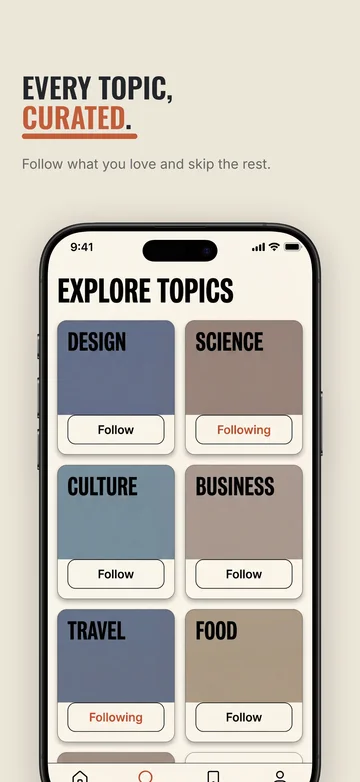
2007 × 2853
Inner display canvas, 2007 × 2853
- Fitted to height: about 695 px of empty width.
- Stretched to fill: about 1.66 times wider but only 1.09 times taller, so round shapes turn into ovals.
- A canvas of its own: design the inner display’s set for its shape.
So don't stretch or pad a regular iPhone set: treat the Duo as two new canvases.
87%
put the caption at the top of each screenshot and the main image below it
The squarer Duo canvases squeeze that stack, so keep captions to a line or two and give the app most of the frame.
The inner display is where a Duo set shows something new. Apple says that on the inner display your app "should look like a natural extension of its iPad layout", so show that: a sidebar, a split view, a second column. If you have an iPad screenshot set, use it as the plan for the inner set, then capture fresh from the Duo simulator, since the shapes differ.
One set can mix portrait and landscape: each of your up to 10 screenshots can use either orientation, so you can show the app "across orientations", as Apple's news post puts it. In Screenodon each Duo screen picks its own display and orientation, and the set still exports and uploads as one set, in order. If you use a device frame, use a Duo frame. Apple's asset guidance asks you to design key elements with a safe area in mind and keep the focal point within the center. Screenodon has iPhone Duo canvases for both displays, in both orientations, with real Duo device frames.
Screenodon uploads your Duo set for you. It publishes every Duo screenshot straight to App Store Connect's iPhone Duo slot, in your screen order, for every language, in one run.
To upload by hand instead, Apple's help page on managing screenshots doesn't name the Duo. Its general steps:
- In Apps, select your app, then the app version in the sidebar.
- Under Product Page Information, click the App Previews and Screenshots tab and select the device tab. For other device sizes, Apple points to View All Sizes in Media Manager.
- Click Upload or drag your screenshots into the well, or click Browse Assets to use approved images from Asset Library.
You can also upload in Asset Library: click it in the sidebar, click the add button (+), then choose Previews and Screenshots.
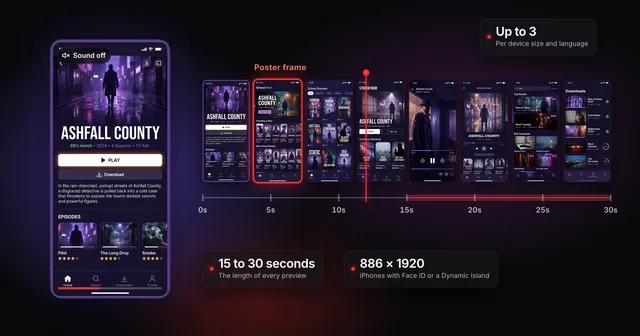
An iPhone Duo app preview is 886 x 1920 in portrait or 1920 x 886 in landscape. Those are the accepted resolutions in Apple's app preview specifications, the same as every other iPhone with Face ID or a Dynamic Island. The Duo's display sizes, 2034 x 1398 and 2853 x 2007, are listed there only as its device resolutions: export the video at an accepted resolution, not at the display's.
That shape decides where the preview shows. Apple says a preview whose aspect ratio differs from your screenshots appears in the "A Closer Look" section instead of ahead of them, and 886 x 1920 is a different shape from both Duo displays. Length, count and formats are in the full app preview specs.
Not yet. Apple's spec page says from April 2027 for apps using the iOS 27.1 SDK or later; its news post says for any app or game submitted from then.
Apple doesn't say. The inner display is where a Duo layout differs most from a regular iPhone, so a set without it shows the least of what the badge claims.
Not according to Apple's spec page. Its required iPhone size is still iPhone with Dynamic Island (medium display), at 1206 x 2622 or 1179 x 2556, and the Duo is listed separately.
Apple's iPhone Duo pages don't connect the badge to search ranking. What Apple has published about ranking is in how App Store ranking works.
Alistair Cooper
Founder of Screenodon
I’ve spent over ten years shipping iOS apps, from a blank Xcode project to the App Store, on my own and on large teams. At Fender I was a technical lead on Fender Play and worked on apps used by millions of people.
More about me and how I write these guidesSources
- Screenodon design study: 148 App Store screenshot setsApps hand-picked from the US App Store for well-designed screenshots (23 categories, thin categories filled deliberately), 4 to 10 iPhone screenshots saved per listing between June 22 and July 15, 2026 (800 in total), then each app’s set tagged against a fixed list of design categories by an AI vision pass. Counts are tallies of those tags.
- Apple: Screenshot specifications
- Apple Developer News: Prepare and submit your apps for iPhone Duo
- Apple: Three steps to make your app shine on iPhone Duo
- Apple: App preview specifications
- Apple: Manage your App Store assets
- Apple: App Store asset best practices and resources
- Apple Developer: Upcoming requirements
Put this into practice on your own set
Start a free account, drop in your raw screenshots, and Screenodon lays out a first draft of the whole set for you to edit. Saving and export at every store size need Pro.
Keep reading
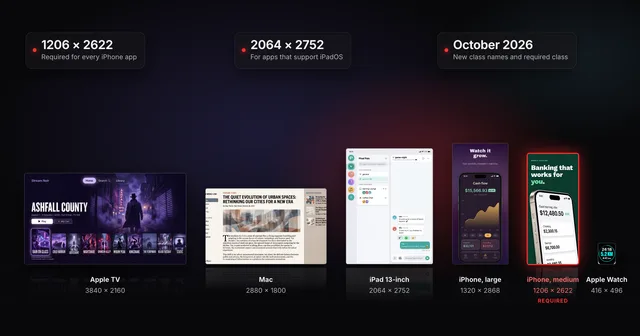 App Store screenshot sizes for every iPhone, iPad and Apple deviceApp Store screenshot sizes after Apple's October 2026 rename: required iPhone 1206 x 2622 or 1179 x 2556, iPad 13-inch, plus Mac, TV, Vision Pro and Watch.
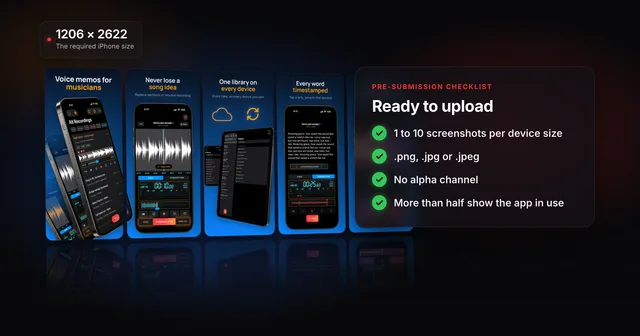 App Store screenshot requirements: the pre-submission checklistApp Store screenshot requirements as a checklist: 1 to 10 per device size, PNG or JPEG without alpha, the exact iPhone and iPad sizes and the 2.3.3 rule.
 App Store app preview specs (and whether to make one first)Apple's app preview specs: 15 to 30 seconds, up to 500 MB, H.264 or ProRes 422 HQ, max 30 fps, 886 x 1920 for iPhone. Plus when a preview is worth it.
 iPad App Store screenshot sizes (and when the 13-inch is required)Apple's iPad screenshot size is 2064 x 2752 or 2048 x 2732 (13-inch), needed if your app supports iPadOS. Every class, and how to clear the 13-inch prompt.
 Fix "The dimensions of one or more screenshots are wrong"App Store Connect wants an exact pixel size for each slot. Check your file, then fix the cause: a pixel off, the wrong export scale or the wrong device.